Reference
SGL Coach: a training system built around a method
SGL Coach is one example of what I build: a training system around a method for interaction, group development and leadership. An AI coach guides each person, with exercises and 3D films, video calls with practitioners, teams and organisations, payments and 26 languages. The system is in operation, with public prices and a 14-day free trial.
What it is
SGL Coach is built around the SGL method, created by Jan Petrus Hagberg. A person brings a situation to the coach and finds out what is going on, on a phone, a PC or a Mac, in writing or by voice.
Teams and organisations get shared overviews. Each person decides what the team gets to see, and managers and HR see only aggregated figures. Human practitioners meet their clients by video in the same app.
In operation
SGL Coach is in operation, with public prices and a 14-day free trial. Card payments and subscriptions have been in operation since September 2026, and the service runs on Microsoft Azure in the EU.
How it came about
The platform — the app, payments, team features and the 26 languages — was built in 15 weeks in autumn 2026. I developed the coach itself together with the method owner in the months before. From first prototype to finished product: about nine months.
I wrote the software. The method, the film scripts and the voice are Jan Petrus Hagberg's, and it is his expertise that makes the coach good.
The workload in SGL Coach is estimated at about 30,000 engineering hours, around 18 person-years, carried out in those 15 weeks.
That is how the division of labour will be for you too: the training and the content come from you, and I make the rest.
Everything SGL Coach can do
Some features are being rolled out to users in stages.
For people using the app
- Works as an app on the phone, the PC and the Mac, with no download from an app store.
- Works on iPhone, iPad, Android, PC and Mac, and is tested regularly in the common browsers.
- The start screen shows where you left off, and how far you have come in each topic.
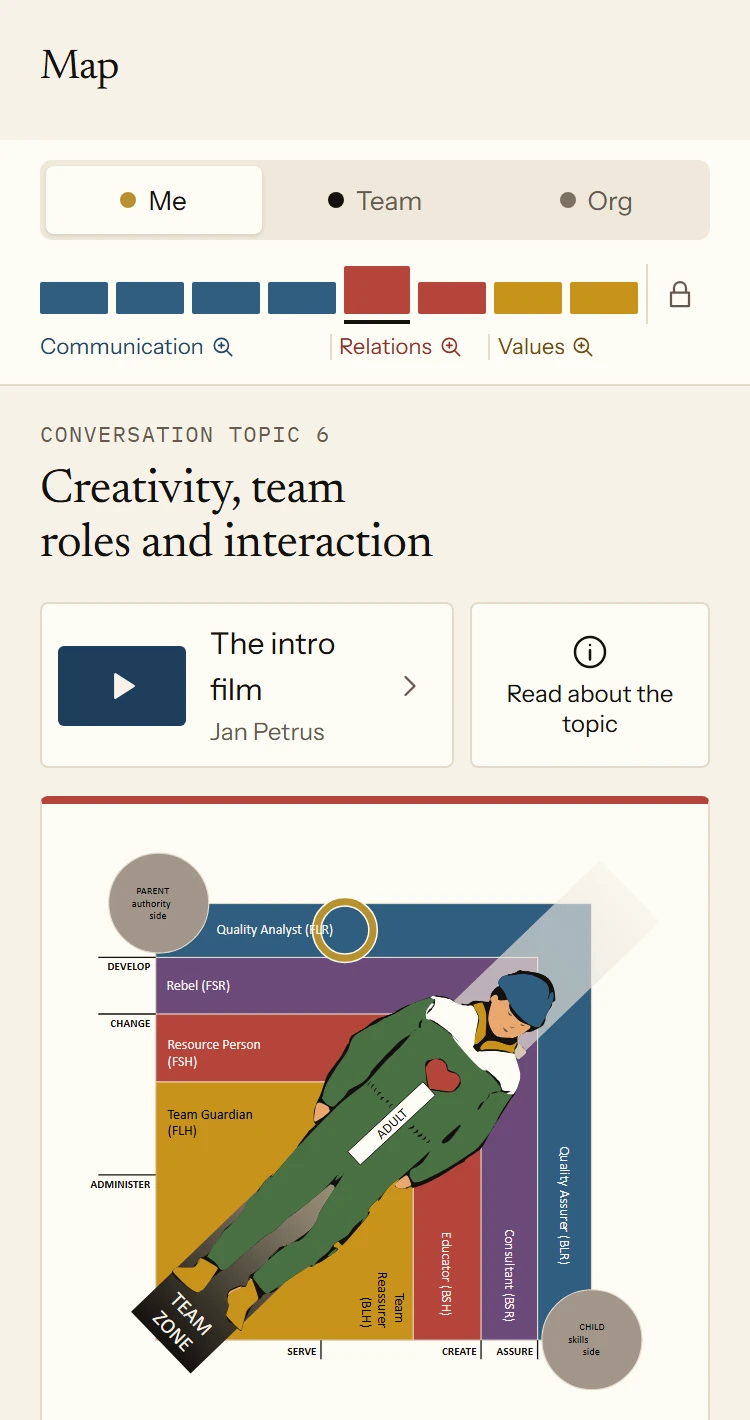
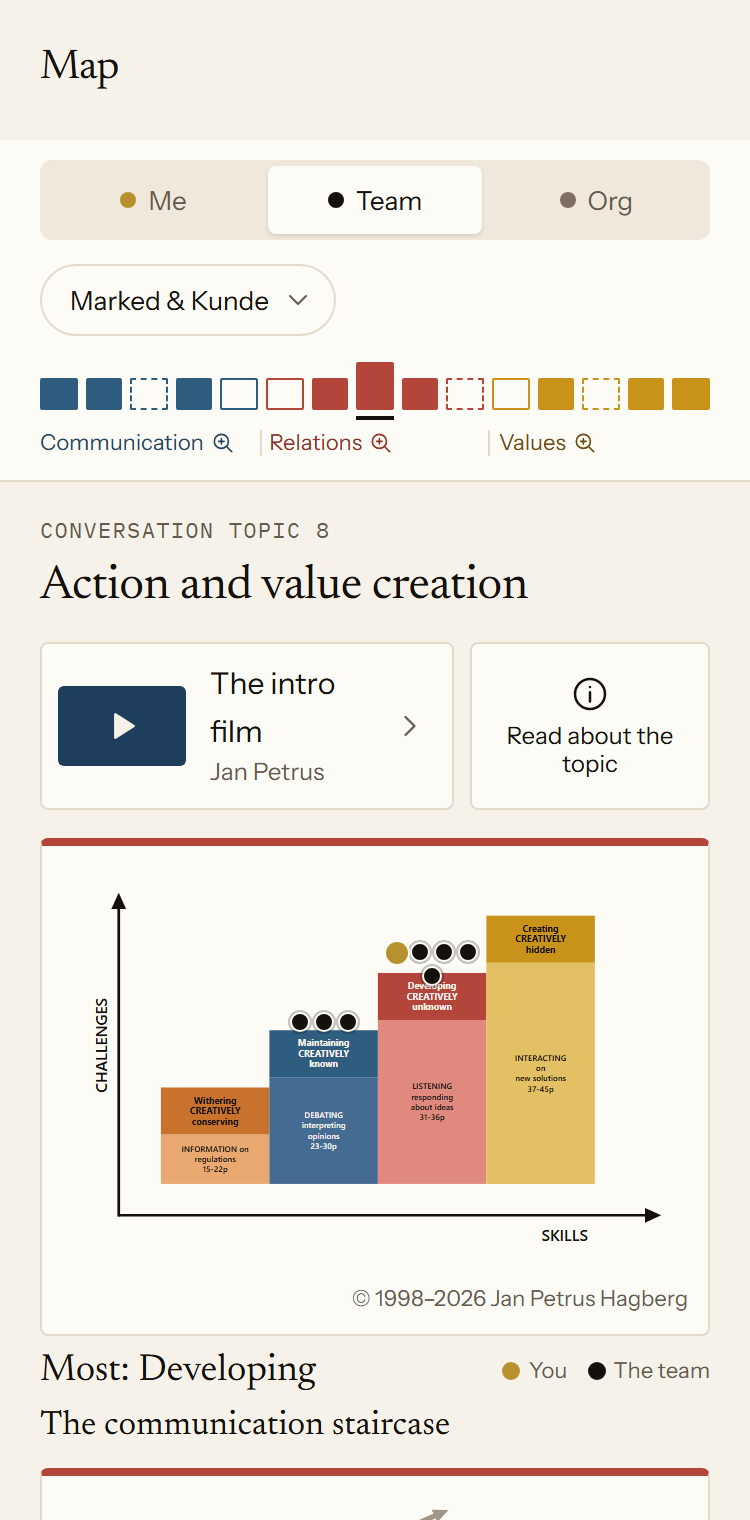
- A map of the topics, with separate views for yourself and for your team.
- A welcome path, and links that open the first conversation directly on the topic or film you came from.
- Self-assessments that come back every six months or every year, with the date.
- Notifications on the phone, including a weekly reminder that is only sent when something is waiting for you.
- The app can be locked with a passkey or a PIN code.
- A page of its own greets you when the phone has no connection.
- A calm, easy-to-read design, with automatic checks that the text always has good contrast.
- Made to be usable by everyone, with automated accessibility tests and an accessibility statement of its own.
- You can report a problem right in the app and get a first answer straight away, and a person takes over when needed.
- A free taster exercise that can be tried without signing in.
The AI coach
- Conversation with the coach in writing: the answer appears as it is written, and can be stopped at any time.
- You can speak instead of writing, and have the answer read aloud with a synthetic voice in your own language.
- Conversation history with search, and a new topic can be started at any time without the coach forgetting you.
- The coach can show model diagrams, films and small forms in the middle of the conversation, and uses the answers afterwards.
- The coach maps a personal journey in 12 steps through the conversations, and you can read the coach's picture of you.
- The coach remembers what matters for each person, reflects on the conversations in the background and keeps earlier versions of what it knows.
- The coach adapts to language, preferred answer length, role, how far the person has come, and what they have read, seen and answered.
- The coach's tone and rules are written out in detail, and it looks things up in the full text of the method when needed, but quotes only short extracts, so the author's text is protected.
- Built-in safeguards keep the conversation true to the method, respectful and at the right pace, and the coach checks itself against making things up about the person.
- 15 conversation topics and 29 coach skills, plus 7 for organisations: emergency preparedness, crisis management, appraisal conversations, teamwork, feedback, change management and downsizing.
- Leadership guidance as an add-on: a leadership journey of its own with assessment along the way, assignment conversations for leaders and an overview for the leader.
- Change coaching when AI is introduced in a workplace: a private coach for each employee, and a shared room where management, HR, safety representatives and union representatives see the same figures.
- The coach can search the web when the conversation needs it.
- The coach uses AI models in Microsoft's cloud in the EU, with a backup model that takes over automatically, and a separate model for each task, so quality and cost are controlled separately.
Exercises, films and content
- 44 hybrid films, one for each exercise: the method's author explains on camera himself, side by side with 3D animation that shows what he is talking about, in Norwegian and English.
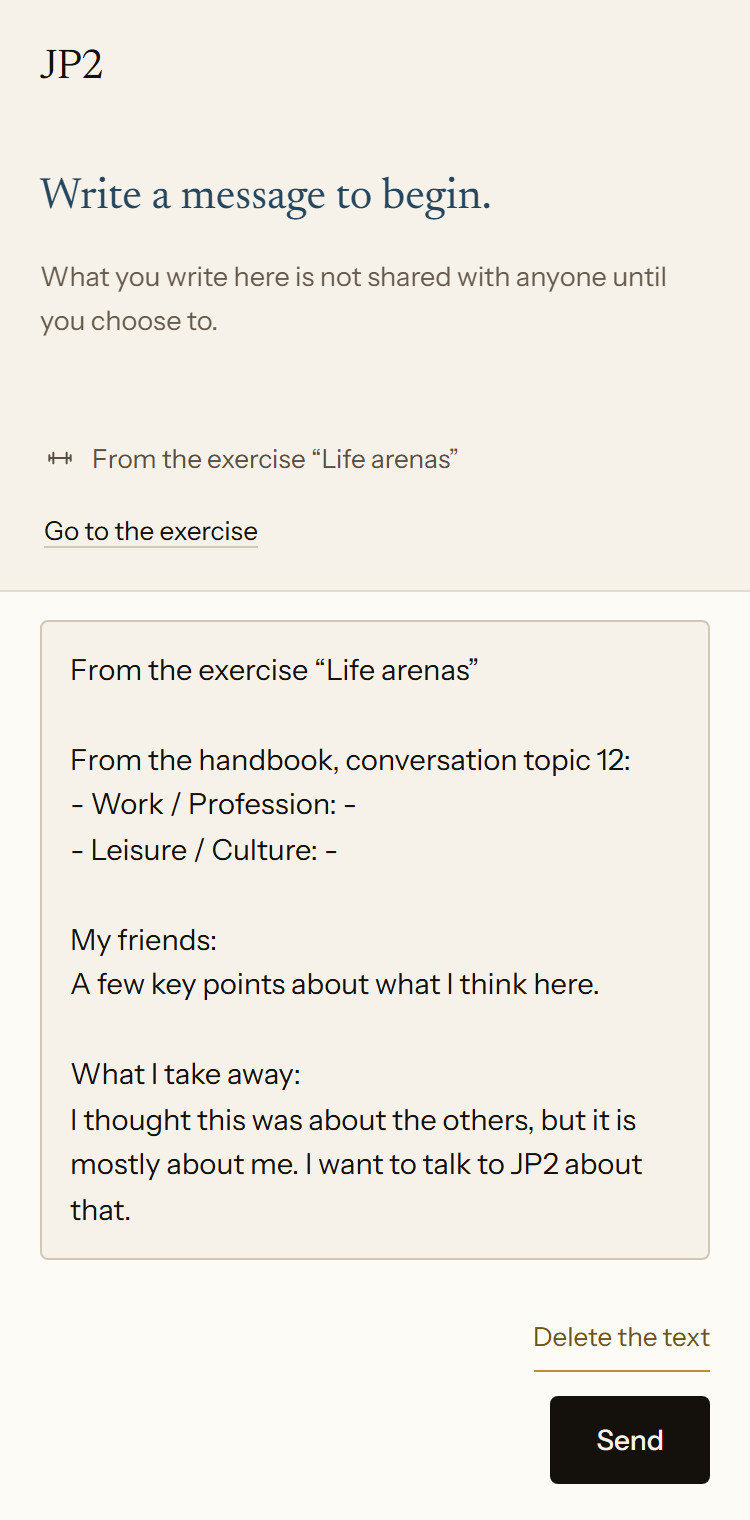
- Exercises with short films and written tasks. The answers are private until you yourself send them to the coach.
- Exercise texts and introductions can be read aloud with a synthetic voice in each language.
- The method owner's working binder as chapters in the app, with tasks that each user fills in privately.
- 15 introduction films in the app.
- A free series of video essays on YouTube, with subtitles in 25 languages and automatic publishing.
- A fixed procedure for filming with three cameras.
- The method's model diagrams can be translated and adapt to the look of the app.
- The films are kept in the product's own media storage and shown only to those who have access.
The exercise films
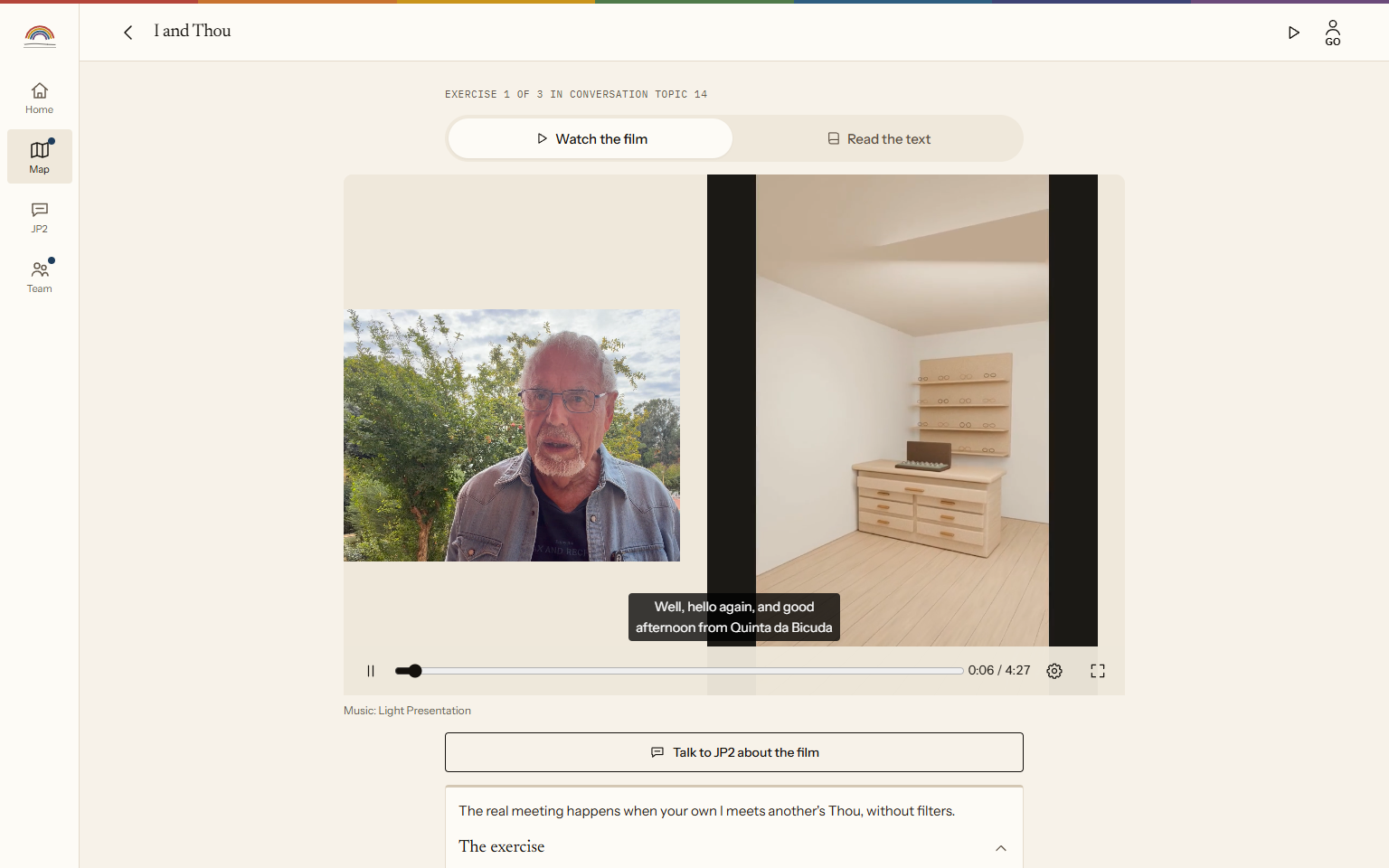
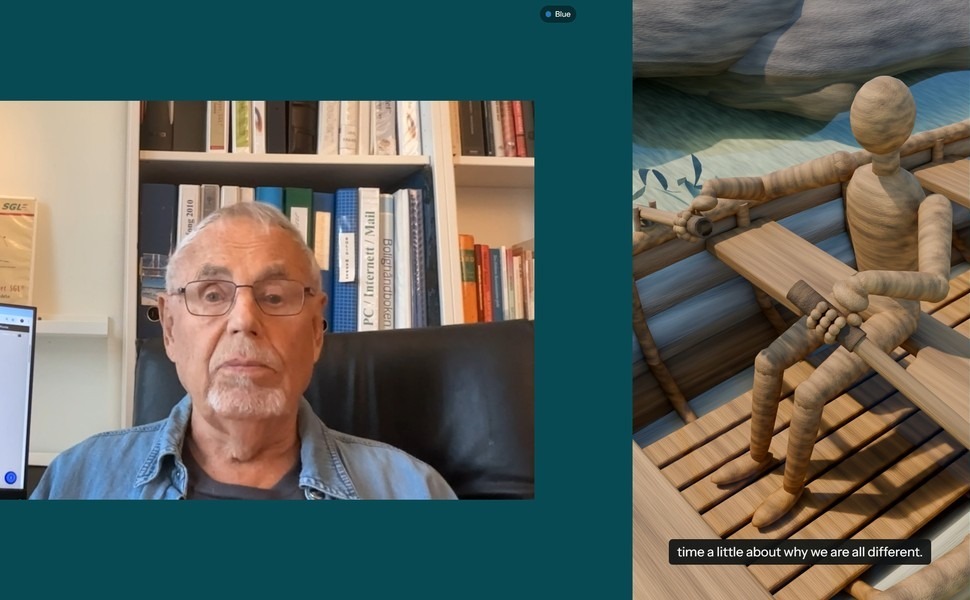
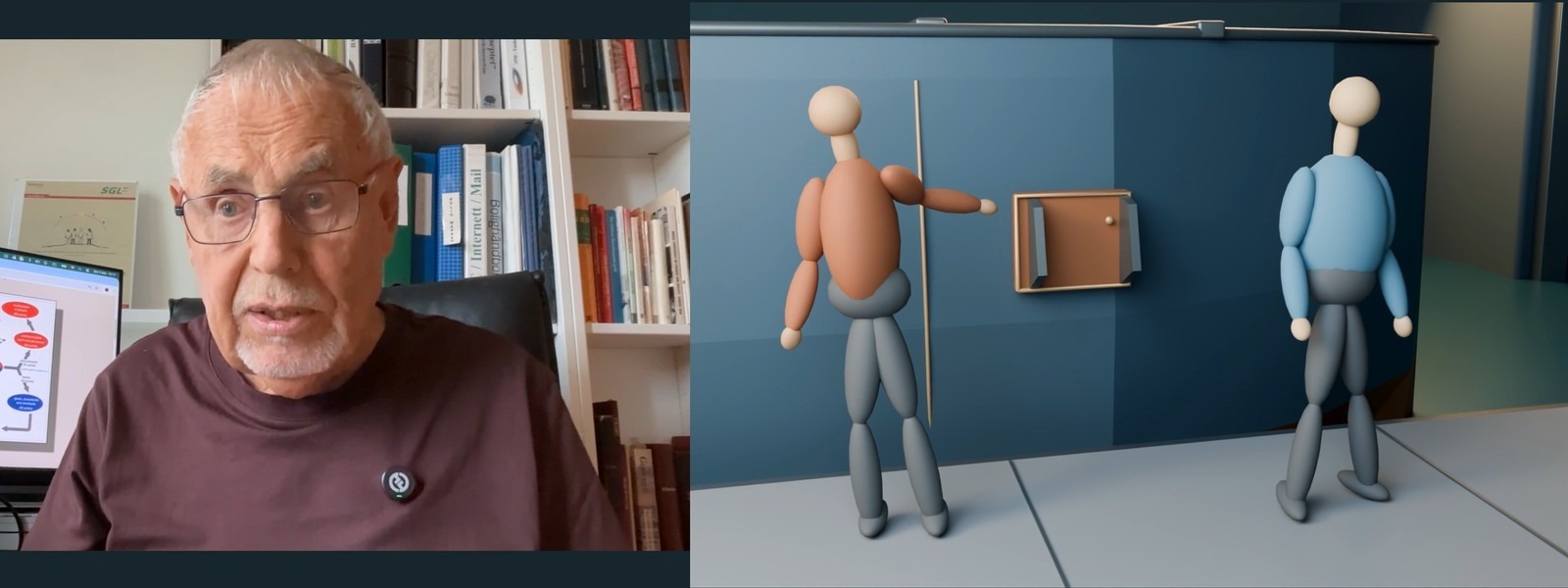
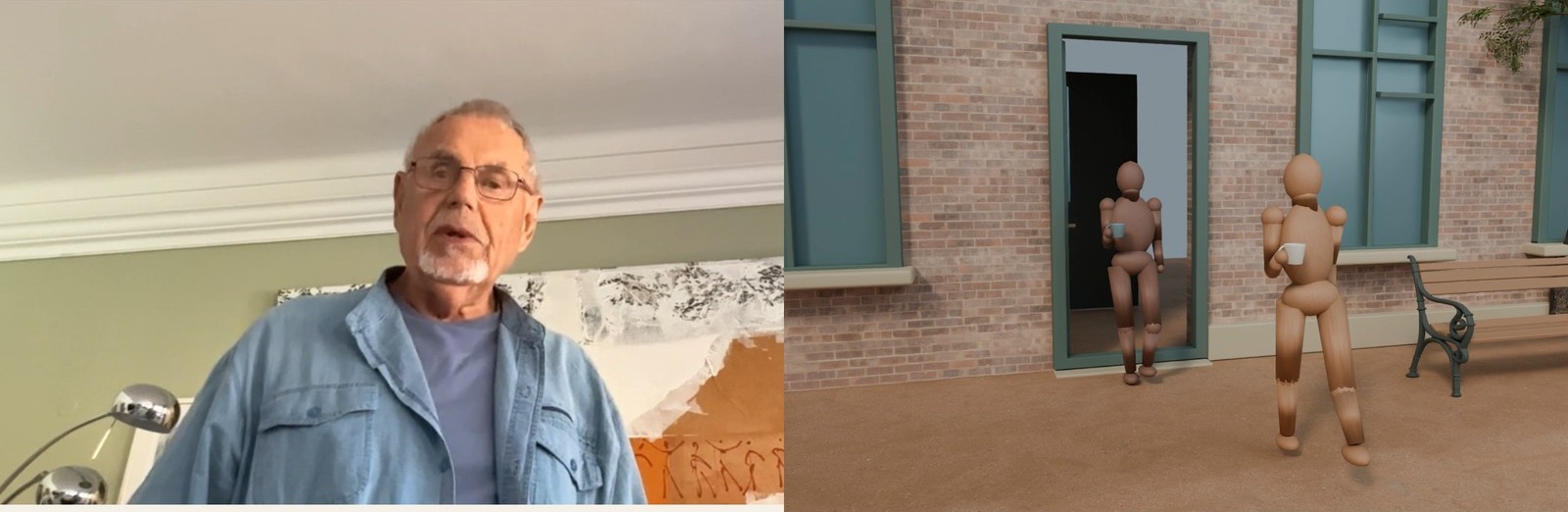
44 hybrid films: a person explains, an animated world shows
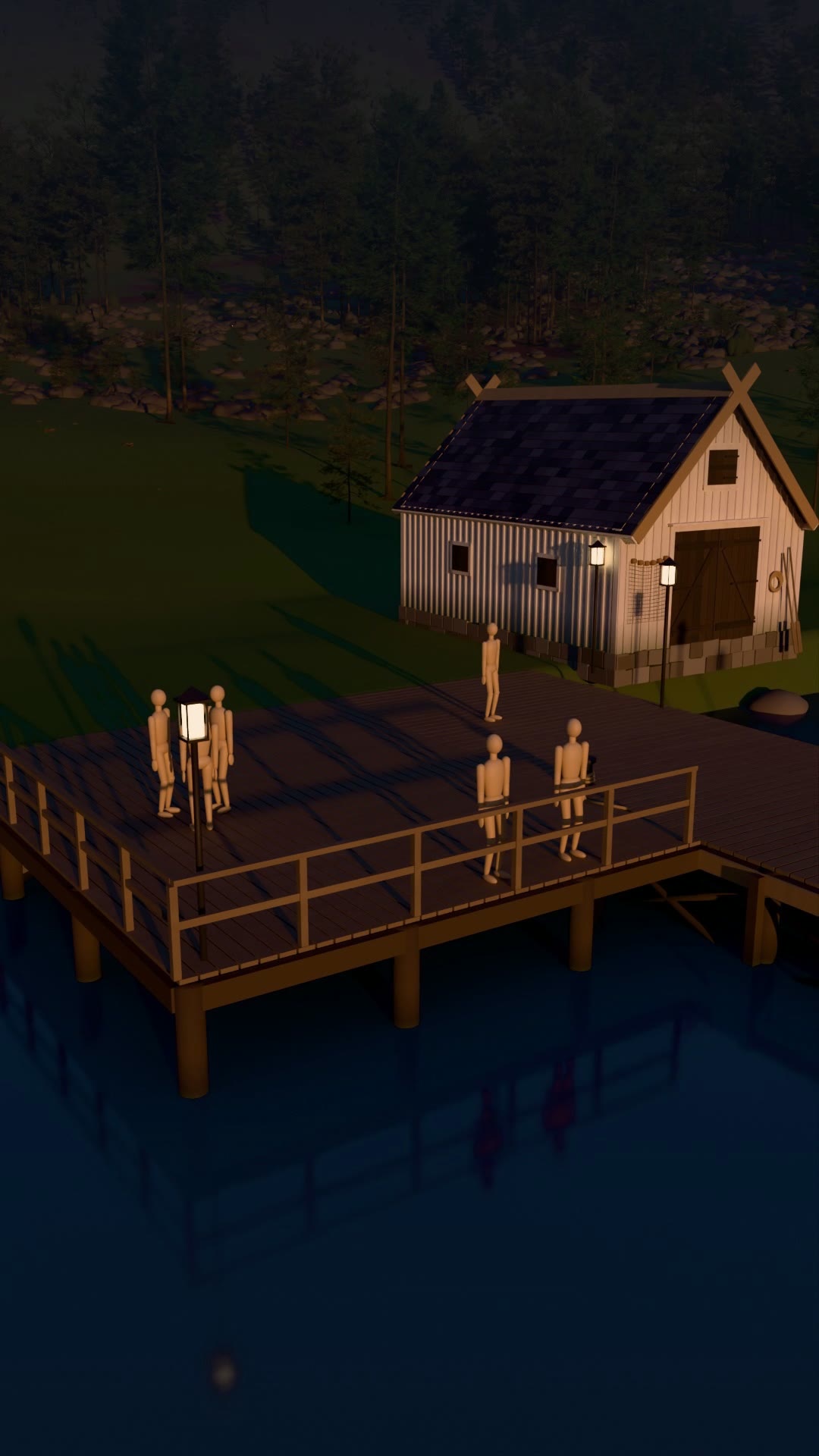
Each exercise has its own film. The method's author is filmed with a camera and explains it himself, side by side with 3D animation that shows what he is talking about. The viewer can hide him and let the scene fill the picture. The animation is directed and produced automatically, so a whole series can be made without a film crew.
The scenes range from playful wooden figures to near-realistic landscapes, in 3D animation in the style of a modern animated film. The films last three to seven minutes and come in Norwegian and English. The English edition is dubbed with an AI voice made from his own.
The same can be done with your expert and your subject matter.

3D exercise films
The exercises are made so that they can both be played and be watched. On the phone, the user goes through an animated 3D scene that pauses, offers choices and lets them answer the coach along the way. The same lesson also becomes a film, so film and exercise always fit together. The method's own diagrams are laid over the picture, and the coach asks questions in speech bubbles.
3D exercise films
- Playable lessons: the user goes through an animated 3D scene on the phone, with pauses, choices and answers that go straight to the coach.
- For each exercise a film is made from the same lesson, so film and exercise always agree.
- The scenes are built in 3D, with the method's model diagrams laid over the picture and the coach's questions in speech bubbles.
- A narrator reads the text with a synthetic voice, and each film is made in Norwegian and English with its own subtitles.
Automated 3D film production
The films are made in an automated production. An AI director writes the direction for each film: the scene, the turning point, the colours, the music and what the coach should ask about. Then the scene is built in 3D, the figures move according to recordings of real human movement, and automated checks verify that everything that should be visible is in the picture. The films are finished on several machines at once, with narrator voice, music and subtitles. The method owner and I review each film before it is released.
Automated 3D film production
- An AI director writes the direction for each film, with scene, turning point, colours, music and new lines from the coach, and the owner approves it.
- The direction is checked automatically, so no two films ever get the same scene, colours or music.
- The scene is built in 3D, and the figures move according to recordings of real human movement.
- Before the film is finished, automated checks verify that everything that should be visible is in the picture, that hands and feet land correctly, and that nothing collides.
- The films are finished on several machines at once, directed and followed up by AI agents.
- Narrator voice, music, subtitles and language versions are added automatically, and a language lead goes through new sentences.
- The owner and the method owner review each film before it is released to users.
Video calls
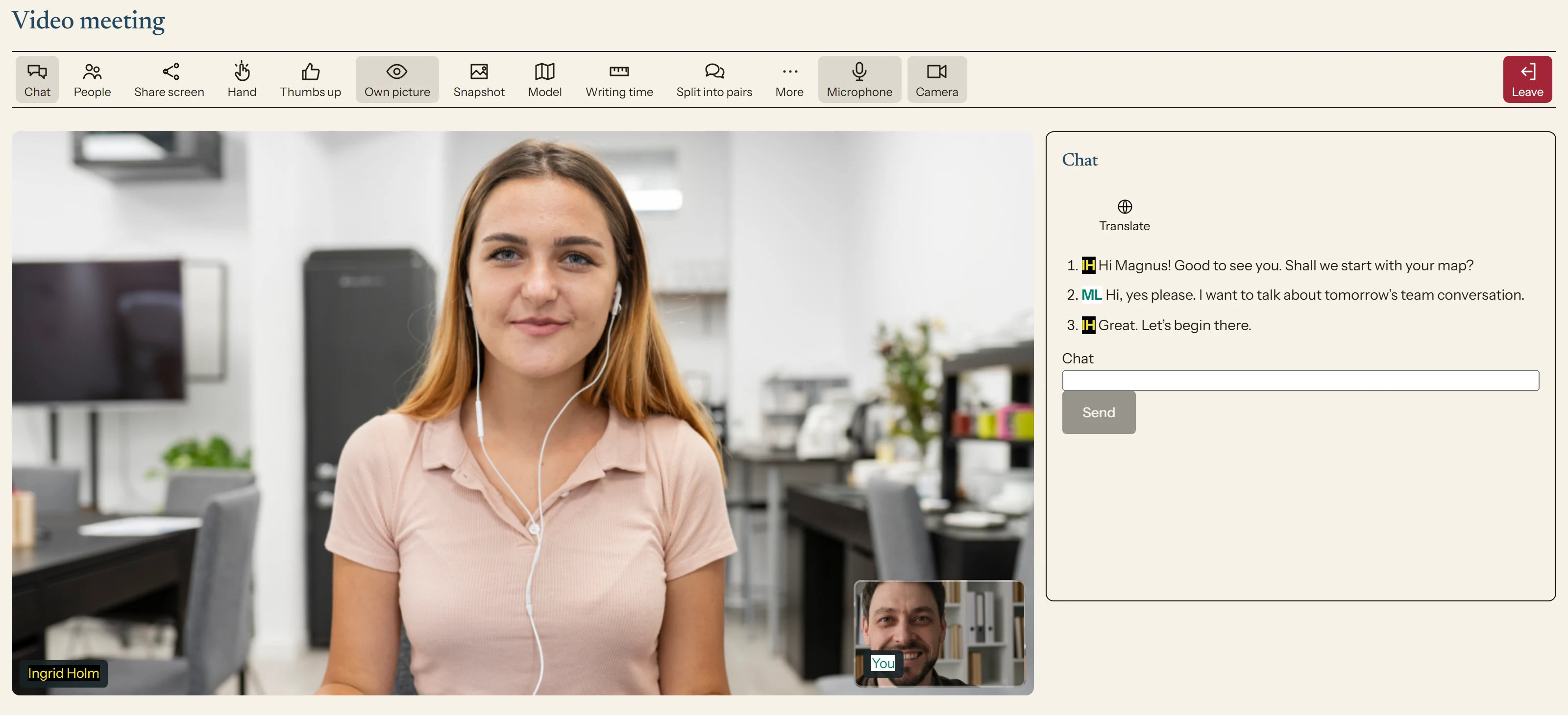
Practitioner and client meet by video right in the app. The client books a time, the call is not recorded, and the practitioner can show the method's models during it, in each participant's own language. Afterwards the practitioner dictates a note that AI turns into a draft, and the client can read it once the practitioner has approved it. Teams have a meeting room of their own with screen sharing and chat, and the practitioner can join there as a guest.
Video calls
- Video calls between practitioner and client right in the app, and the call is not recorded.
- The practitioner can show the method's models during the call, each participant sees them in their own language, and the client can draw on them.
- After the call the practitioner dictates a note, AI makes a draft, the practitioner approves it, and the client can read it.
- The practitioner can invite a client straight into a video call with a link.
- Team meetings and one-to-one calls in the team's own room, with a waiting room, choice of camera and microphone, gallery view, screen sharing and chat.
- You can call a colleague directly, answer with one tap and end the meeting for everyone.
- Group guidance online: the practitioner joins the team's meeting room as a guest.
- Audio and video are sent encrypted.
Practitioners
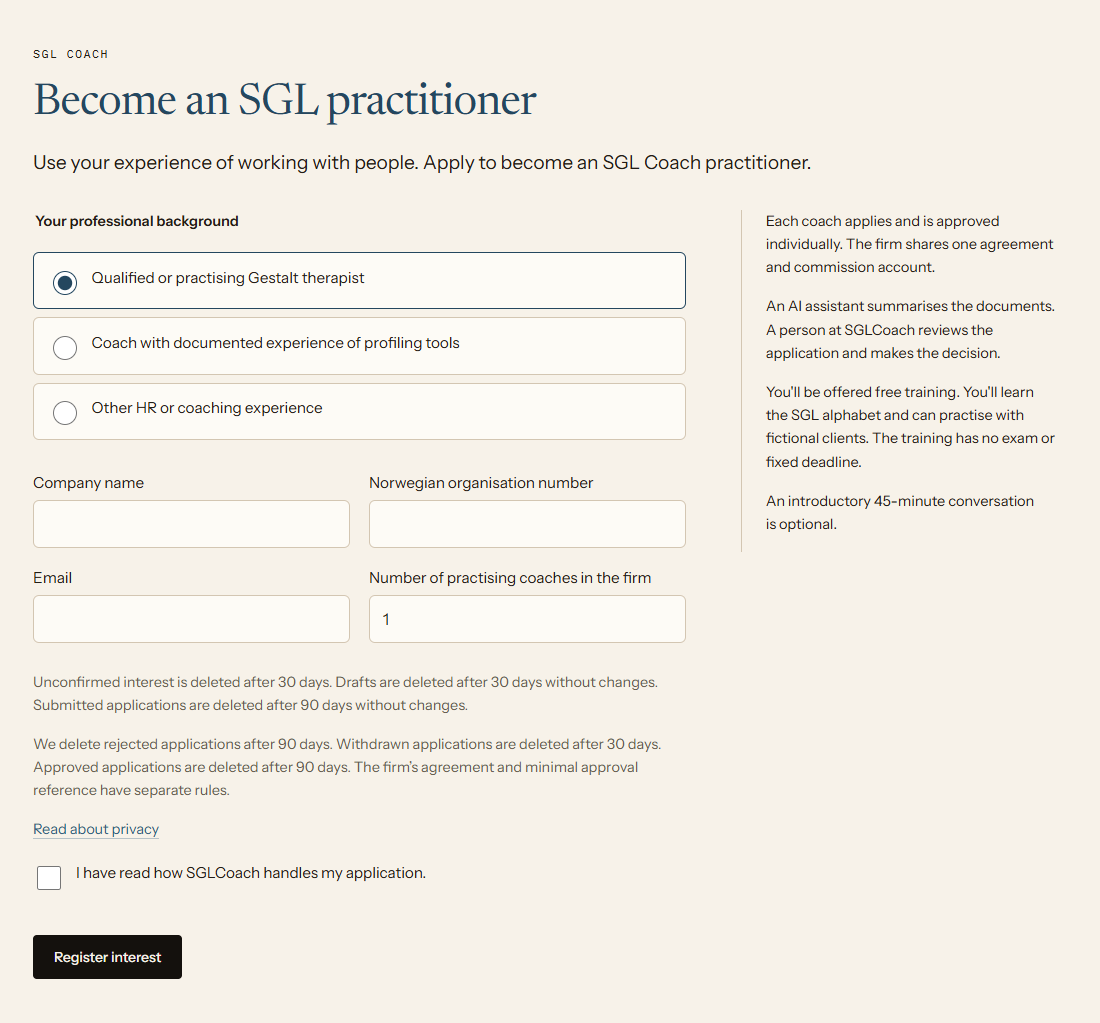
Human practitioners work side by side with the AI coach. The way in is semi-automated: the practitioner applies in the app and uploads documentation, an AI assistant summarises it against the criteria, and a person makes the decision. Then follow an agreement signed with BankID, free training in the app, a link of their own for clients and appointment booking.
Practitioners
- Human practitioners work side by side with the AI coach in the same app.
- Practitioners apply in the app themselves: they choose their professional background, state their company and upload documentation.
- The documents are checked automatically, an AI assistant summarises them against the criteria, and a person assesses the application and makes the decision.
- When the application is approved, the practitioner automatically receives an invitation to the training.
- The firm's agreement is signed electronically with BankID in the app.
- Free training in the app: the practitioner learns the method's basic concepts, confirms the professional ethics guidelines and can practise with fictional clients.
- An introductory conversation of 45 minutes with a person is available for anyone who wants it.
- Training videos for practitioners.
- A workspace of their own with training, clients and sessions, and one tap to switch between personal use and the practitioner role.
- Each practitioner gets a link of their own and can invite clients by email or with the link.
- Questions and drafts the practitioner sends to a client arrive in the client's own language.
- In the first week the coach tells the clients how to book an appointment with the practitioner.
- Clients book an appointment with the practitioner, with a link to Google Calendar and a calendar file for their own calendar.
- A person is always involved at the start of a guidance programme, and whenever something calls for it.
- Practitioners who bring in subscribers receive a commission, settled monthly.
Teams and organisations
- Each person decides what the team gets to see.
- A shared team map, and a team subscription that opens all 15 topics and the team features.
- The team's own chat, with replies, likes, polls and a calendar.
- What team members write in the chat is shown automatically in each person's own language, and the original is one tap away.
- AI can analyse a conversation thread in the team, and a guided assignment helps the team build itself up.
- Invitations to the team are collected in a thread of their own in the team overview.
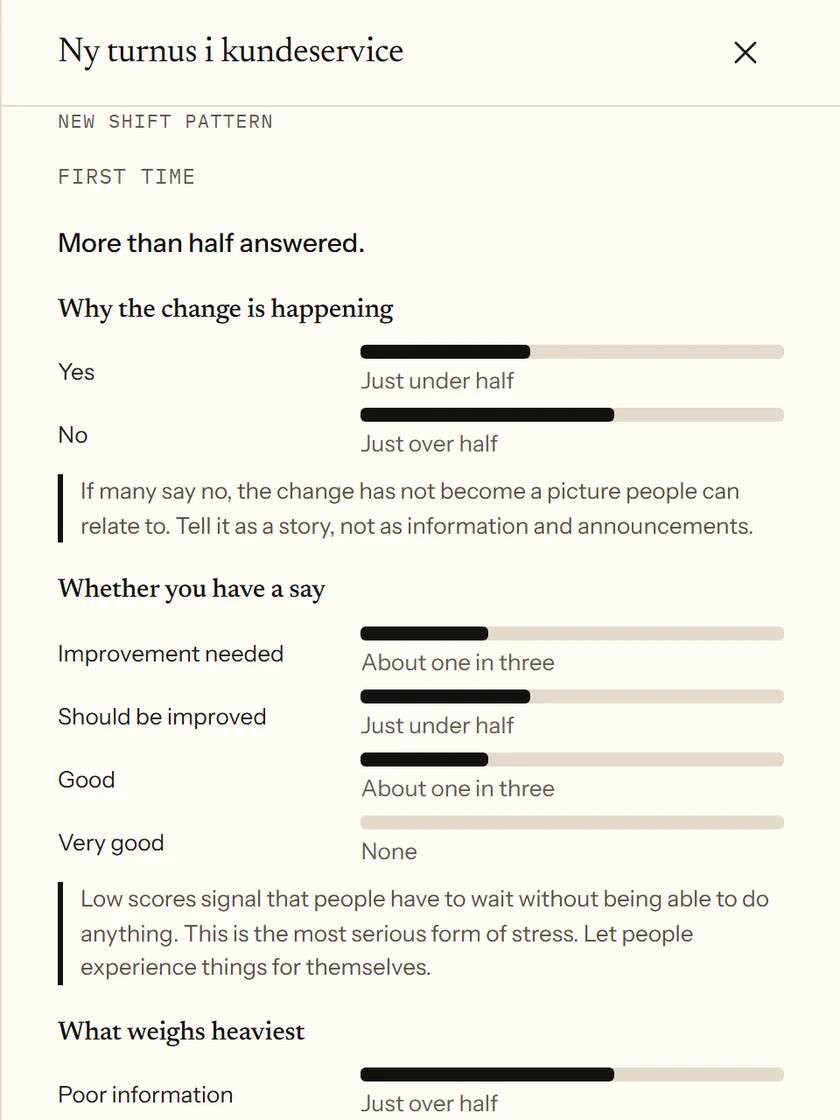
- Managers and HR see only aggregated figures, never private conversations, and a team picture is shown only when at least three are taking part.
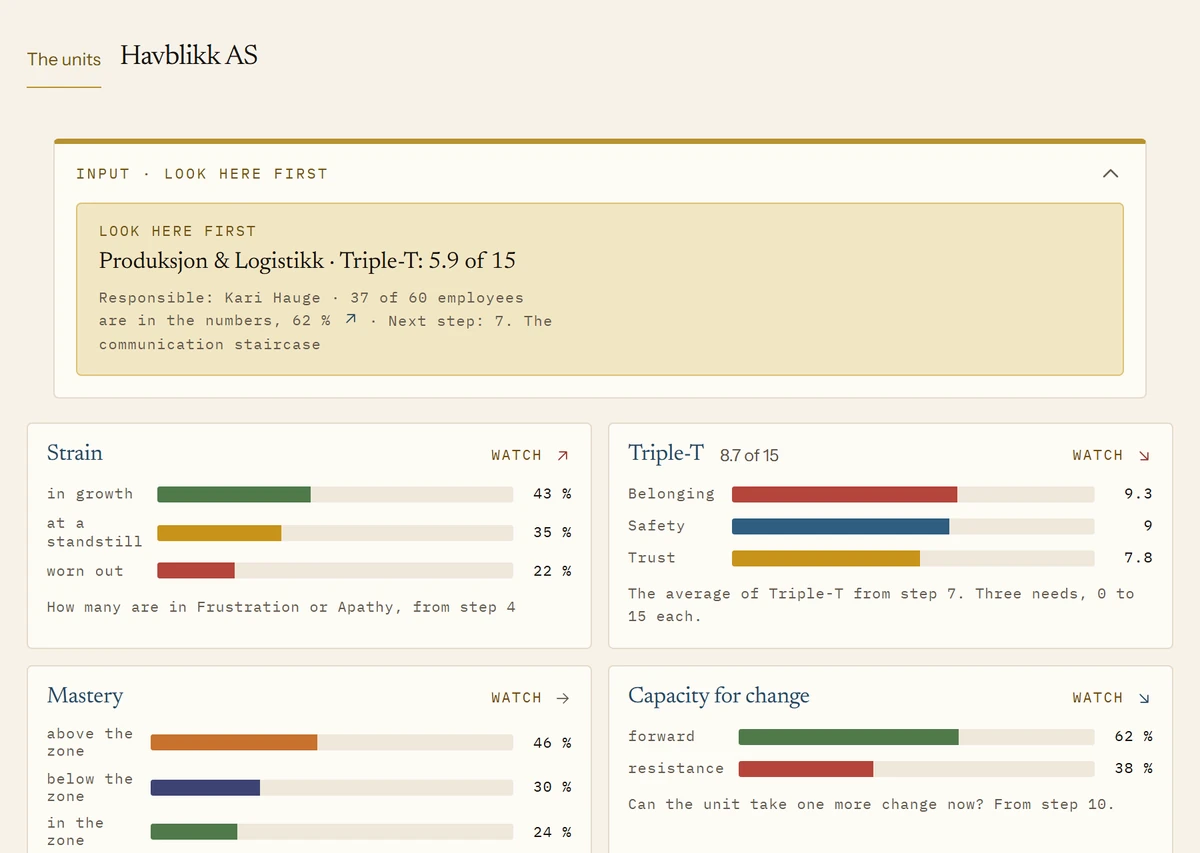
- The organisation gets an overview with figures per department.
- Quick questions about change are answered with one tap, and the result is shown only when five have answered.
- Invitations by email, with a discount for each invitee who starts paying.
Payments and subscriptions
- Card payments and subscriptions, in operation since September 2026.
- Public prices fetched straight from the app, several plans with different content, and annual subscriptions at ten times the monthly price.
- A 14-day free trial, open to everyone over 18, with just an email address, no card and no automatic charge when it ends.
- Prices in several currencies.
- Customers can upgrade, downgrade, cancel or move the subscription to a different payer themselves, and see what the change costs before it is made.
- Seats for members and leaders with no minimum number, and seats can be moved between payers.
- The right of withdrawal is handled in the app, as the law requires.
- Promotion codes, gift access, pilot agreements, discount campaigns, refunds and an overview of revenue that is reconciled against the payments.
- Each person gets exactly the access that all their agreements add up to.
- Organisations can ask for an agreement and a demo, and larger organisations get a price of their own.
- The team, organisation and change subscription is prepared for sale through Microsoft's marketplace for businesses.
Languages
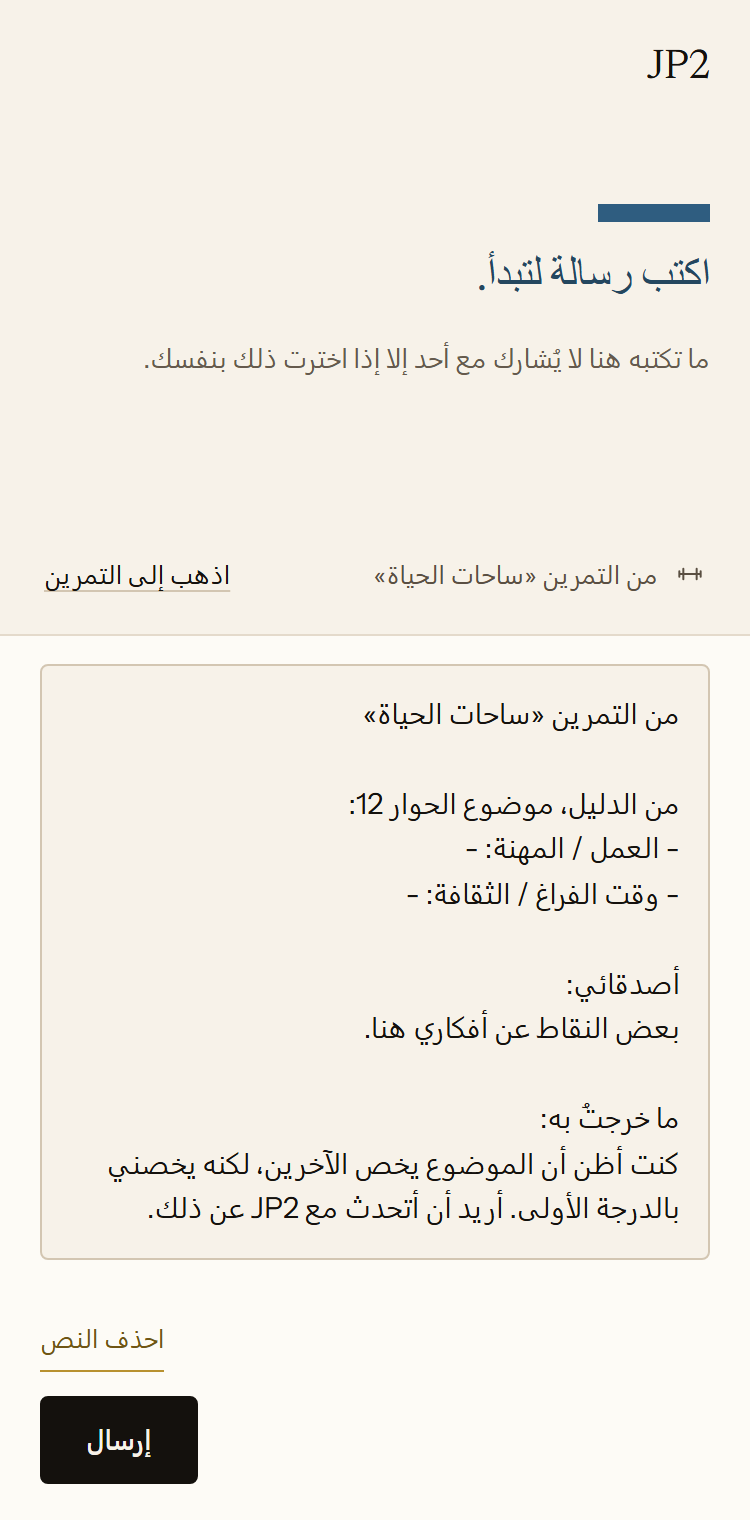
- The whole app is available in 26 languages, and Arabic is shown from right to left.
- Automatic translation between users: messages in the team's chat are shown in each person's language, and texts from practitioners and campaigns arrive in the recipient's language, with the original one tap away. In team meetings, what is said is also turned into text and translated.
- The coach, the help centre, the emails and the subtitles follow the language the user chooses.
- The public website is available in 26 language versions.
- The help centre in the app is available in all the languages.
- A glossary per language makes sure the method's concepts are always translated the same way.
- One AI model translates and another checks the translation, and automated checks verify that every screen exists in every language.
- A new release stops automatically if a text is missing in one of the languages.
- A language lead decides word choice and tone.
For administrators
- Administration of the organisation: departments, invitation by email or link, import from a spreadsheet, roles and a log of who has done what.
- Sign-in with the organisation's own user accounts.
- Users are created and removed automatically from the organisation's own user directory.
- What is sent to the organisation's own systems is limited to five specific kinds of information, such as the number of seats and aggregated figures for groups of at least three.
- A control panel for the product owner: customers, subscriptions and trial periods, usage and AI cost per customer, faults and alerts, customer support, campaigns, settlement with practitioners and the costs of cloud and AI.
- New features can be switched on for everyone at once or for one organisation at a time.
- Full control of AI costs: calculated cost per conversation, cost caps per organisation and caps on use per person.
- Usage statistics with no cookies and no external analytics tools, which count how much a person uses the app and never what they write.
- Counting of visits to the website and to short links.
- A weekly operations report.
- Demo data with fictional organisations, for demonstrations and training.
- Customer support where AI gives the first answer and a person takes over, with automatic sorting of email, a shared inbox for enquiries and a support page on the website.
- A customer support phone line where AI answers with speech.
Security and privacy
- Sign-in with a one-time code by email, with no password that can be forgotten or leaked.
- Sign-in with a Microsoft or Google account, in time also an Apple account, and with the work account from Microsoft for employees of an organisation.
- Conversations are encrypted with a separate key for each person, so a leak from the database alone does not reveal them, and the keys can be changed.
- Answers to exercises are stored encrypted.
- The browser never gets direct access to the database, and everything is closed unless it has been opened on purpose.
- Users can download and delete all their data themselves, and get a receipt showing what has been deleted and what may have to be kept.
- Fixed rules for how long data is kept, and deletion when an organisation's agreement ends.
- The database, the AI models, the speech services, the email handling and the error tracking are in the EU.
- Protection against overload and misuse from other websites, and a check that stops secret keys from ending up in the app.
- Regular internal security reviews, including in November 2026, with fixes the same night.
- Norwegian documents for privacy and agreements, including a privacy statement, terms, a customer agreement and a data processing agreement.
Operation and quality
- The coach is tested automatically against simulated users in conversations of up to 60 rounds, and assessed on, among other things, faithfulness to the method, tone, safety and memory.
- Two fictional test companies with 163 simulated people give realistic data to test the system against.
- Dedicated tests try to lure the coach over the line, and other tests show how the system copes with heavy demand.
- Every change is made by an experienced developer and checked automatically both before and after it is brought in, with all the tests run against a real database.
- All the screens are captured and compared automatically in two languages, and the app is tested on simulated phones.
- The rules for how the system should be built are themselves written as automated checks, and over 200 known fault types each have a guard of their own.
- The coach's basic instructions are kept within a fixed length, and an automated check stops changes that make them too long.
- All requirements are written down and linked to descriptions and tests, so it is possible to see where each requirement is met.
- Written operating handbooks, fixed rules for how changes are made, a shared project description and a written report for each new release.
- Each new release is checked after it goes into operation, and can be rolled back to the previous release in one operation.
- Separate environments for development, testing and operation, so new releases are tried before they reach users.
- The app, the database and the website are run with established cloud providers, with the service on Microsoft Azure in Sweden and automatic increase of capacity under heavy use.
- The system is set up so that one long conversation with the coach does not block others who want to talk to it at the same time.
- Automatic monitoring, with checks every 15 seconds and error tracking in the EU.
- Backup and recovery, checks that deleted data is really gone, and changing of encryption keys.
- Operations tools that cannot change data without an explicit confirmation every time.
- Scheduled background jobs take care of reminders, trial periods, retention and deletion.
- Email to users is sent with retries and delivery status.
What you don't see is what you pay for
The list above shows what the users see. An app can be copied. What lies behind it cannot. Behind SGL Coach stands a production apparatus that I built up over nine months, specifically for this kind of product: work processes, checklists, operating routines, quality rules and specially trained AI assistants that know the job.
A proven work process
The way from subject material to finished training system has been written down and walked through before. For SGL Coach alone there are 87 written descriptions of how the features should work, and 71 work plans.
Specially trained AI assistants
The AI assistants I work with have learned skills for each type of task, from a new feature to the direction of a film, and follow a written rulebook with eight fixed rules.
Written operating routines
34 operating handbooks describe, step by step, everything from putting a new release into operation to fixing a bug, moving a domain or deleting data when an agreement is over.
Quality control that runs by itself
18,742 automated checks were run before the release of 20 November 2026 was put into operation, and 163 simulated people in two fictional companies give realistic data to test against.
Experience that is written down
Over 200 known fault types each have an automated guard of their own, so a mistake made once is not made again. 76 important choices are written down with their reasoning, and 192 notes gather what I have learned along the way.
It is this apparatus that made it possible to carry out an estimated 30,000 engineering hours in 15 weeks.
This is what you get access to with the fixed price. It is why I can promise a price and a date before the work begins. And it is why the price can be lower than with a supplier who has to build such an apparatus from scratch for every project. The product you get is yours. The apparatus that makes it is mine, and it gets better with every delivery.
The screens
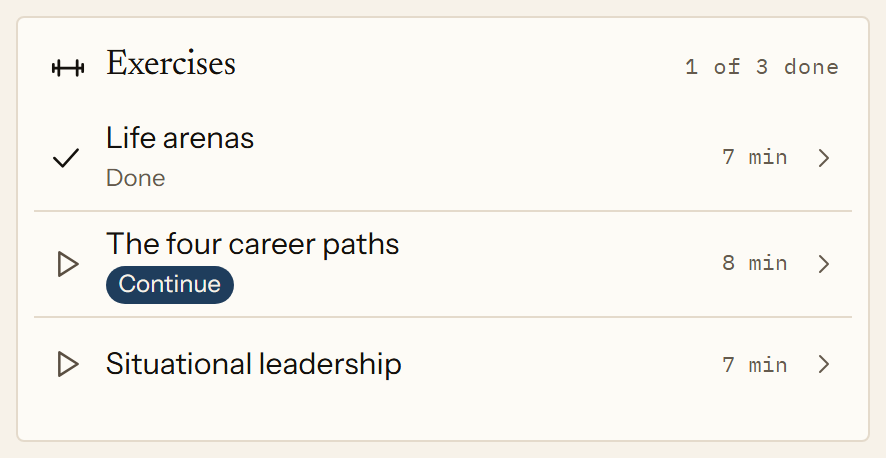
Conversation, map and exercises
Team and organisation
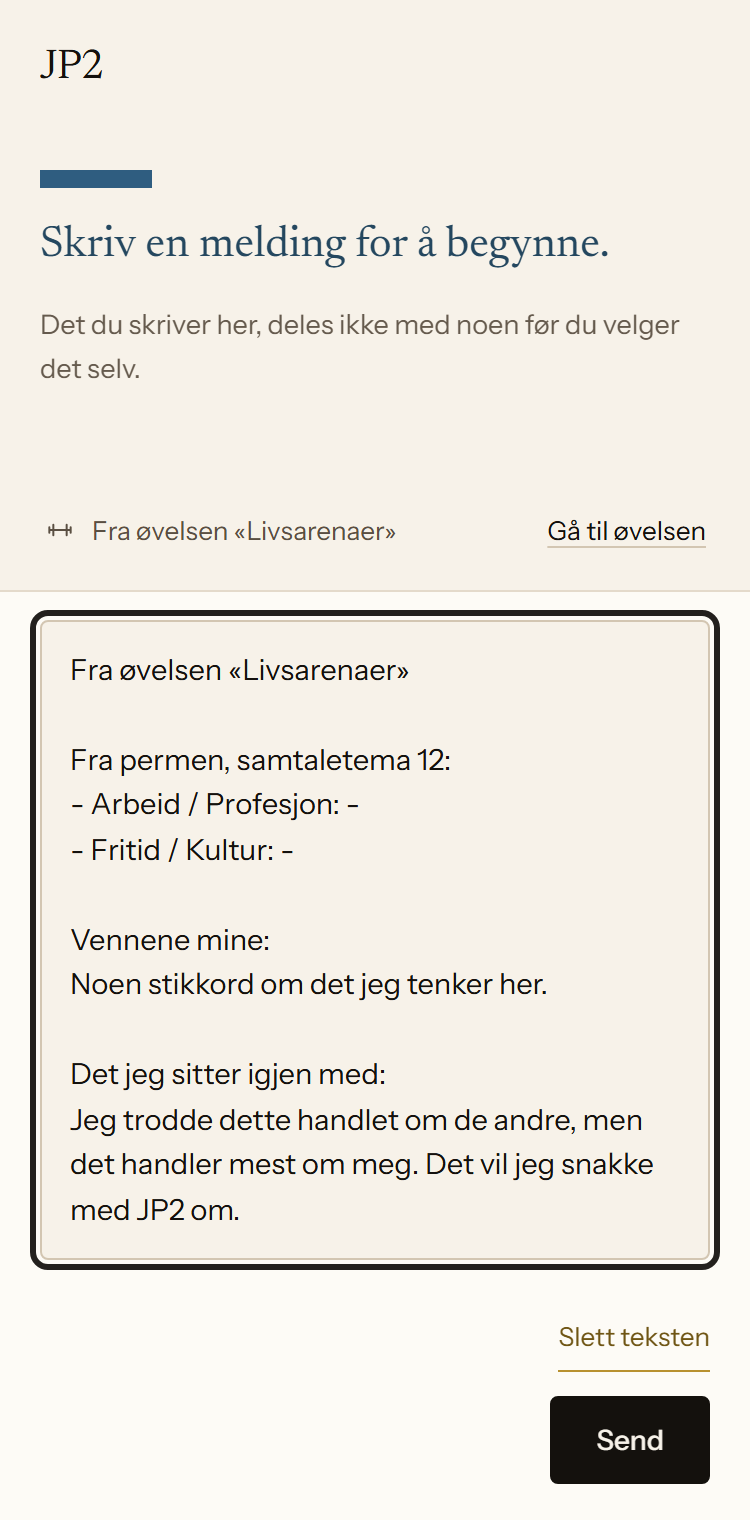
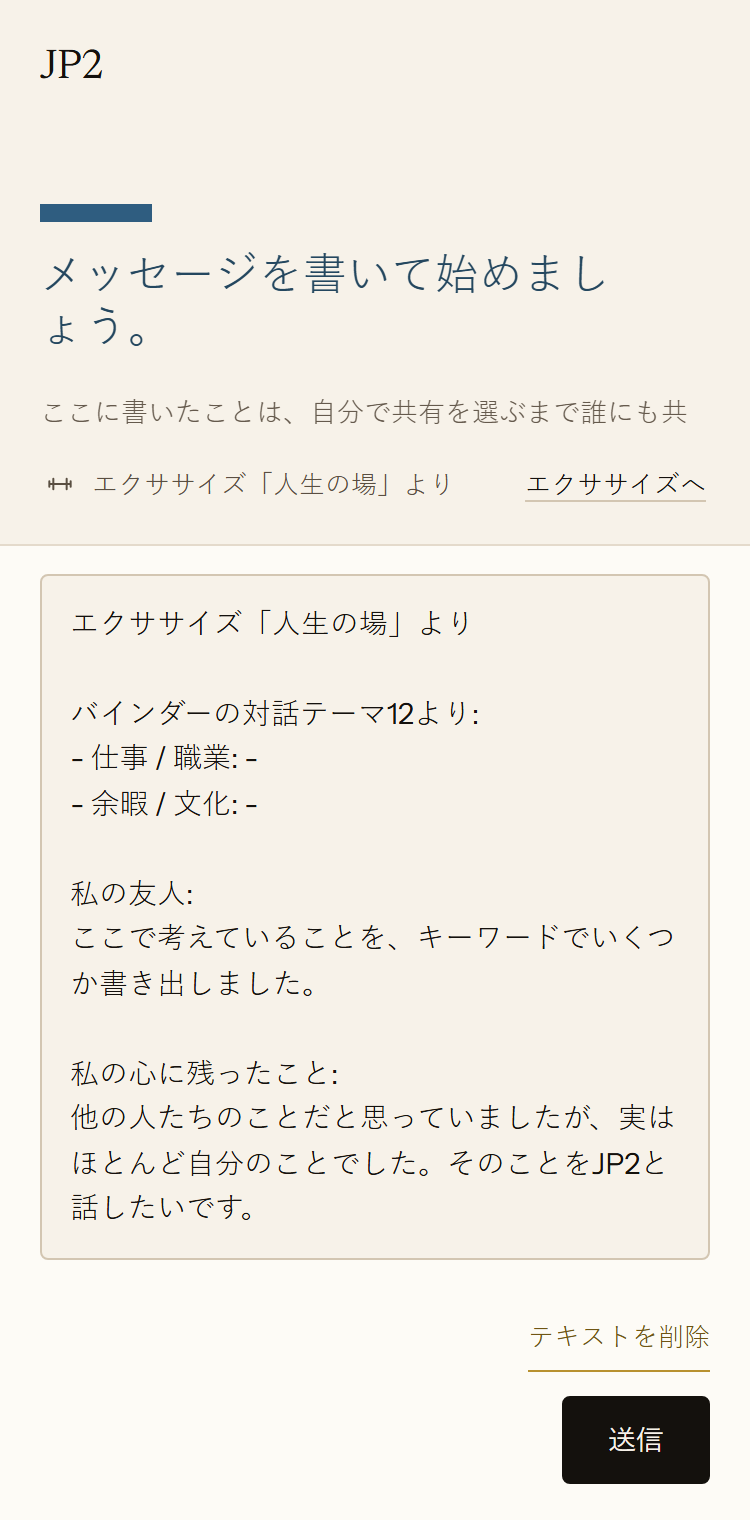
One screen, four writing systems
The same conversation screen in Norwegian, English, Japanese and Arabic.
The screens show a demo organisation with invented names and figures.
What this means for your training
A new training system starts with parts that are already in operation in SGL Coach. Which ones you take depends on the package you choose.
What you get from day one
- Sign-in without a password.
- Payments and subscriptions, with a trial period, campaigns and the right of withdrawal.
- Teams and organisations, with consent and aggregated figures.
- Several languages, with translation and automated checks.
- Administration and a control panel for you as the product owner.
- Security and privacy: encryption, deletion and operation in the EU.
- Automated quality checks, including of the coach against simulated users.
- Video calls and team meetings in the app.
- The tools for making 3D exercise films.
What is made for you
- Your training, and the way you teach, as the coach is to follow it.
- Your content: exercises, texts and film scripts.
- The voice and tone of the coach.
- Your look and your brand.
- The test conversations the coach is tested against, made to match your users.
- The features that are particular to your training.
What each package contains, and what it costs, is on the offers page.
See SGL Coach in use
In 30 minutes I show you the product, and together we look at whether your training can become a system in the same way.